Enable in Settings to show P1, m2, M2… instead of note names
💾 Presets
Right-click preset
Duplicate or Rename it
Save (empty name)
Overwrites the currently loaded preset
Export / Import
Save presets to a .json file and restore them anytime
🎼 Scale Tools — Fill modes & Harmonize
After selecting a root note and a scale in the ♩ Scale row and pressing Apply, two additional tools become available depending on the scale type.
⇶ Fill modes
Only for modal scale families (Major Modes, Melodic Minor, Harmonic Minor, Harmonic Major). Populates every page with one mode of the selected scale. Move root — each page has a different root (e.g. C Ionian → D Dorian → E Phrygian…). Keep root — all modes are transposed to start from the same root note.
⊛ Harmonize
Creates one page per scale degree, each page showing the chord built on that degree. Works on any scale that has a root (tonic) set.
1 3 5 · Triads — builds a 3-note chord per degree (e.g. C Melodic Minor → Cm · Dm · Eb+ · F · G · A° · B°). 1 3 5 7 · Sevenths — builds a 4-note chord per degree (e.g. CmΔ7 · Dm7 · Eb+Δ7 · F7 · G7 · Aø7 · Bø7).
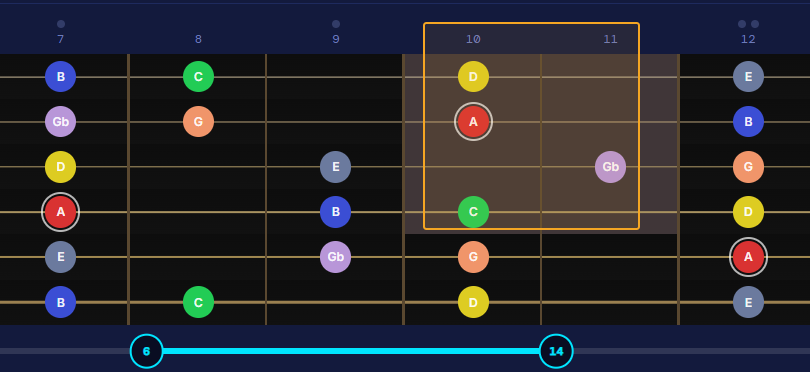
The full parent scale stays visible as dim circles on every page — giving you the harmonic context at a glance. Note colors follow the chord root: 🔴 Root · 🟢 3rd · 🩶 5th · 🟠 7th.
📄 Pages — Multiple configurations per fretboard
Each fretboard can hold up to 10 independent pages, each with its own highlighted notes, root and visibility. Great for alternating between chord inversions, positions along the neck, or scale patterns.
← N/M →
Navigate between existing pages. The + button replaces → when you're on the last page.
Arrow keys ← →
Same as above — keyboard shortcut (only when no text input is focused)
+ button
Create a new empty page. Each page stores its own note selection and root independently.
PAT: 1,3,2,1
Custom page order for auto-advance. Numbers are 1-based page numbers, duplicates allowed. Leave empty for sequential (1→2→3→…).
🥁 Metronome Sync — Auto-advance pages in musical time
When the metronome plays, pages advance automatically every N bars. The controls below appear on the right side of the SHOW row once a fretboard has 2 or more pages.
change every N
Advance to the next page every N bars. Accepts decimals when using the Looper — 0.25 = 1 beat, 0.5 = half bar, 1.25 = 1 bar + 1 beat (in 4/4). Integer values work with both the Looper and the standalone Metronome.
auto button
Toggles automatic page turning on or off. When lit (purple), pages advance every N bars in sync with the metronome. Click to pause auto-advance at any time — the metronome keeps playing and the "change every" value is preserved. Click again to resume.
fade knob
Crossfade duration when switching pages. 0ms = instant snap. Drag up or scroll to increase up to 2000ms. Double-click to reset.
🔁 Guitar Looper — Practice with your own backing track
Click 🔁 Looper in the toolbar to open the looper panel side-by-side with the fretboard. In Metronome mode the looper's clock drives the page auto-advance — so your scale patterns change in musical time with your own recorded loops.
🔁 Looper button
Opens the looper panel next to the fretboard. Click again to close it.
Metronome mode
Select Metronome in the looper. Set BPM, time signature and number of measures, then record your layers.
Page auto-advance
While the looper plays in Metronome mode it sends beat signals to the fretboard — "change every N bars" works exactly the same as with the standalone metronome.
Speed control
The speed slider scales both audio playback rate and metronome tempo by the same ratio, so the click always matches the tempo of your loops.
Pause → Play
Resuming always restarts from the very beginning of the loops, so you are never left mid-phrase when you come back in.
⬡ Chord Charts — Visual chord diagrams
Click ⬡ Chords in the toolbar to show the chord diagram panel below any fretboard. Add, edit and organize chord charts visually — they are saved with the fretboard and exported with it.
+ Add chord
Creates a blank 5-fret chord diagram. Click on any cell to place or remove a dot. Dots inherit the interval color of the note (root = red, 3rd = green, 5th = gray…) if a tonic is set on that fretboard.
Drag chord to fretboard
Drop a chord chart onto the fretboard to highlight exactly those notes on the full neck — useful for seeing a voicing in full context.
Chord name field
Click the "Chord name…" label below each diagram to name it.
− 5fr + / fret number
Shift the diagram's starting fret. The fret number shown on the left indicates which position on the neck the diagram represents.
🖨 Export as PDF
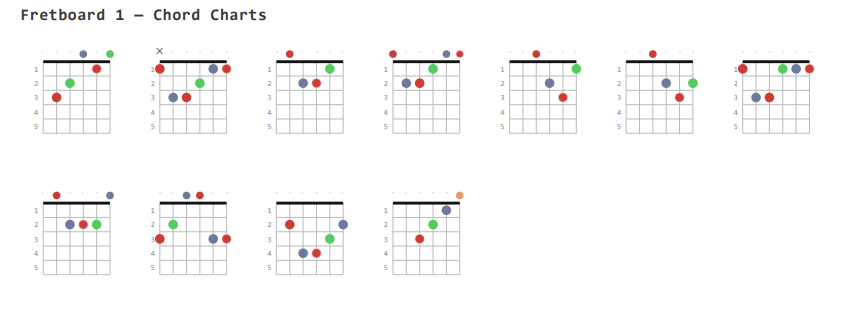
Prints all chord charts for that fretboard as a clean grid — note colors are preserved in the PDF export.
Export / Import JSON
Save and restore chord charts as a .json file — useful for sharing chord sets.
🎙 Strum Detection — Hands-free page turns
Click 🎙 Strum in the toolbar to enable microphone-based strum detection. Every time the audio level crosses the noise gate threshold, the fretboard advances to the next page — no keyboard or mouse needed while you play.
🎙 Strum (toolbar)
Toggles strum detection on/off. A floating badge appears when the toolbar scrolls off screen so you can always see whether it is active.
Input device
Select which microphone or audio interface to use in ⚙ Settings → 🎙 Strum Input Device. Open Settings while Strum is ON to refresh the device list.
Noise gate
Adjust the sensitivity threshold in Settings so that ambient noise is ignored but a clear strum triggers the advance.
Works with pages
Strum detection cycles through all pages of a fretboard in order — combine it with a custom PAT: pattern to create non-linear sequences.
⬇ Export PDF — Print all fretboards
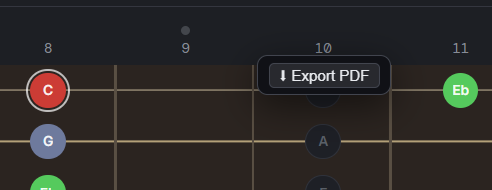
Click ⬇ Export PDF in the toolbar to open a print-ready view of all fretboards. Each fretboard is labelled and every page (slot) is rendered as a separate diagram in the PDF.
Fretboard label
The board's name (click the title to rename) appears as a heading in the PDF — e.g. "Fretboard 1 — Chord Charts".
One page per slot
If a fretboard has multiple pages (from Fill Modes, Harmonize, or manual additions), each slot is printed as its own diagram with the slot label as its subtitle.
Note colors in PDF
Interval colors (root, 3rd, 5th…) are fully preserved in the print output — same colors you see on screen.
Chord Charts PDF
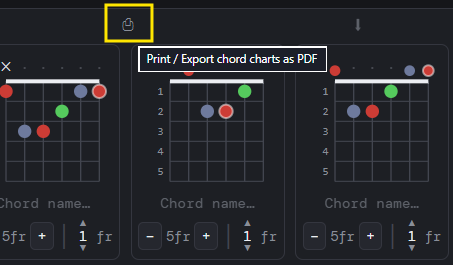
The separate 🖨 button inside the Chord Charts panel exports only the chord diagrams for that fretboard, not the full neck.
💡 Quick start — Looper + auto page change
Add 2+ pages to a fretboard using +. Highlight different notes on each page.
Optionally set a PAT: pattern (e.g. 2,1,3,1) and change every N bars.
Click 🔁 Looper, switch to Metronome mode, set BPM and time sig.
Press ▶ Play (with or without recorded layers) — a countdown starts and pages begin advancing in sync.
Record layers over the top at any time using Overdub to build your backing track while you practice.
💡 Quick start — standalone metronome + pages
Add 2+ pages to a fretboard using +. Highlight different notes on each page.
Optionally type a pattern in PAT: — e.g. 2,1,3,1 — to define the page order.
Set change every to how many bars between switches.
Open the 🥁 Metronome, set your tempo, and press ▶ Play. Pages advance in sync.
This tool is free — and it always will be.
This tool is free — and it always will be.
If you've found it useful, or you simply enjoy seeing independent developers build things like this,
the best way to support this work is to give JumpMarkers a try.
It's a free Chrome extension built for people who learn music from YouTube — mark exact moments in a song,
loop sections while you work out the notes, scrub frame by frame with audio to catch every detail,
and organize everything into folders by song or technique.
This free guitar fretboard visualizer lets you map any scale, mode, or chord across the entire neck.
Select a root note and instantly see every position highlighted with color-coded intervals — perfect
for understanding music theory, learning the fretboard, or practicing scale patterns.
Features
Interactive fretboard note mapping — click any cell to highlight notes; color coding shows root, thirds, fifths, and other intervals at a glance.
Multiple fretboard layouts — open several boards side by side to compare scales, arpeggios, or chord voicings across different positions.
Scale and mode visualizer — map major, minor, pentatonic, blues, Dorian, Phrygian, Lydian, Mixolydian, and any custom pattern.
Multi-page slots — store several fingering patterns per board and flip between them during practice.
Metronome sync — auto-advance pages on every N bars so scale patterns change in real musical time.
Mic strum detection — hands-free page turning triggered by your guitar strum, no keyboard needed while playing.
PDF export — print a clean, color-accurate fretboard diagram for your music stand or practice notebook.
Preset saving — save any configuration of boards, notes, and settings and reload with one click.
Chord charts — attach chord diagrams to each board for a complete cheat sheet.
How to use the guitar fretboard visualizer
Click any cell on the neck to toggle a note on or off. Use the note palette below each board to select
notes by name. Set a tonic (root note) to enable interval color coding. Add extra boards with
+ Add Fretboard to compare positions up and down the neck. Use presets to save your favorite
scale and mode setups for quick recall during a practice session.
Great for guitar players and music students
Whether you are learning your first pentatonic scale, mapping out the modes of the major scale across
the whole neck, or building a reference sheet for a specific song, this tool gives you a clear,
interactive guitar neck diagram you can customize and print in seconds — completely free, no account needed.